

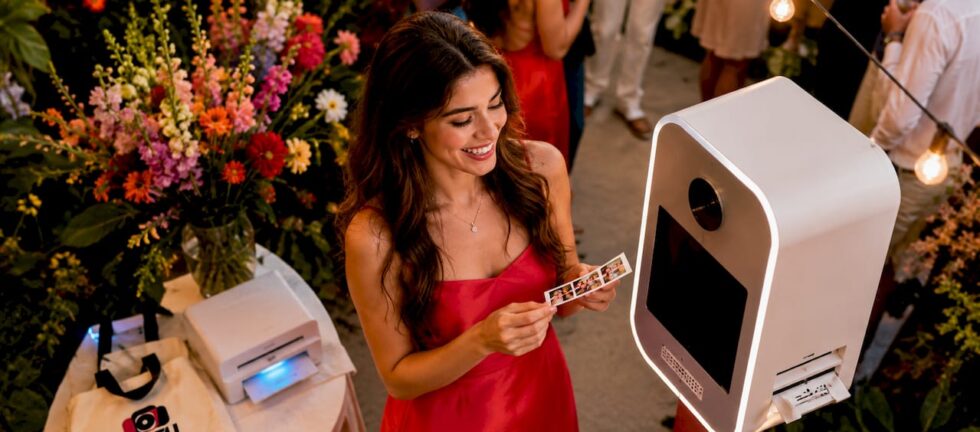
Social media sharing photo booth prints are defined as physical or digital photo outputs from an event booth that guests receive instantly and share directly to platforms like Instagram, TikTok, and Facebook. The industry term for this broader capability is “photo booth social amplification.” It covers everything from QR code delivery and branded overlays to live cloud galleries and SMS distribution. Done well, it turns every guest into a content creator for your event. ZATTU PHOTO BOOTH builds this capability into every rental, so your gathering keeps generating buzz long after the last photo is taken.
What tools make social media sharing photo booth prints work?
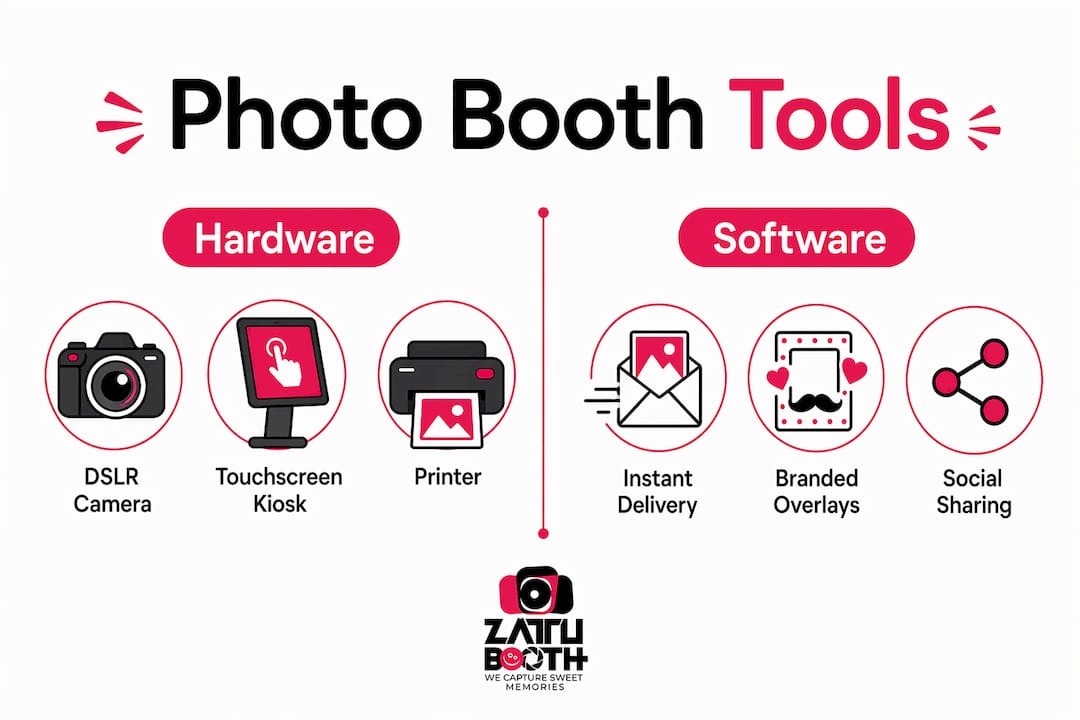
The hardware foundation is a full-frame or DSLR-quality camera. Professional photo booths use DSLR cameras over webcams to produce image quality suitable for both print and social sharing. That distinction matters because a blurry or flat image rarely gets posted, no matter how easy the sharing process is.
Software handles the delivery side. Instant digital delivery via SMS, email, or QR code is the current industry standard for maximising social engagement at events. Guests receive their photo within seconds and share it without downloading a single app. That frictionless experience is what separates a modern social sharing booth from a traditional print-only setup.
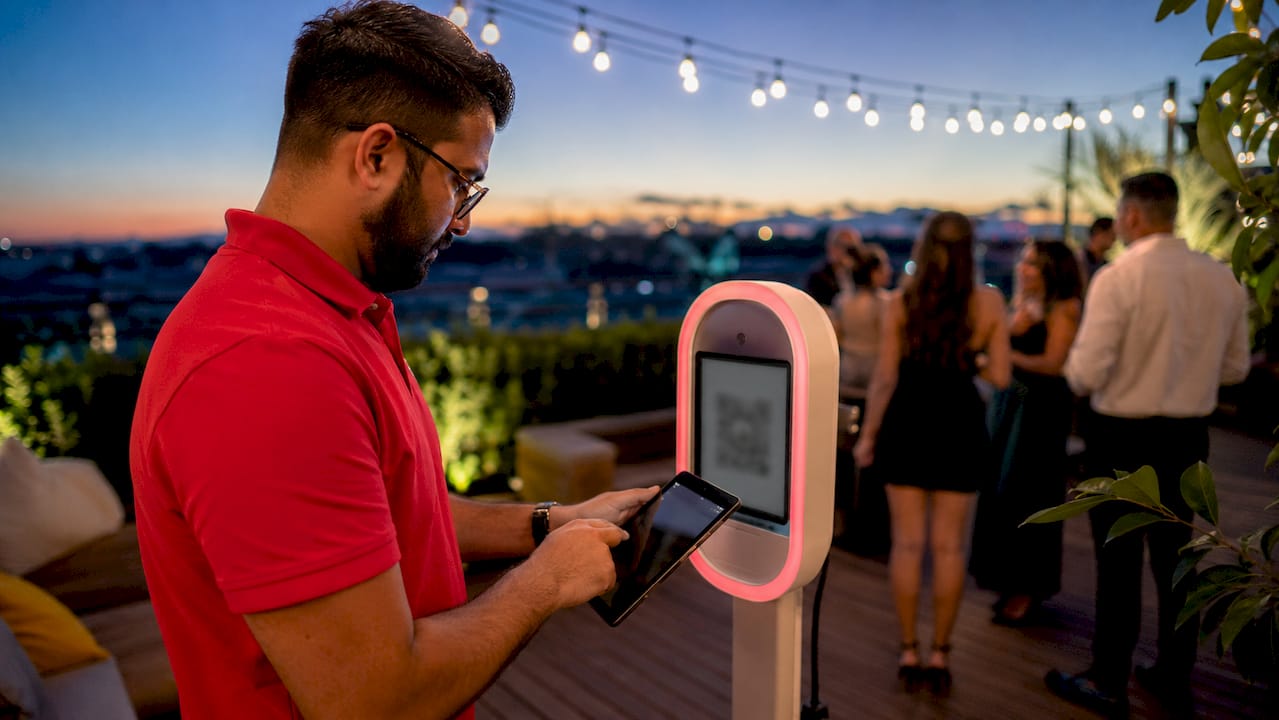
Branded overlay tools are the third pillar. Every digital or printed output carries your event’s logo, hashtag, or colour palette. Every shared photo acts as a branded advertisement when overlays follow consistent brand guidelines. This is why overlay design deserves as much attention as the backdrop or lighting.
The table below maps the core tool categories to their function in a social sharing workflow.
| Tool category | Primary function |
|---|---|
| Full-frame or DSLR camera | Produces sharp, share-ready images for print and digital |
| SMS, email, and QR delivery software | Sends photos to guests instantly without app downloads |
| Branded overlay editor | Applies logos, hashtags, and event colours to every output |
| Cloud gallery platform | Hosts all event photos for post-event sharing and download |
| Live social feed display | Streams shared photos on a screen at the venue in real time |
Live galleries streamed on large screens at the event encourage more guests to use the booth and share their images socially. Seeing your photo appear on a big screen is a powerful motivator. It creates a feedback loop that keeps the booth busy all night.
How to set up your booth for optimal social sharing outputs
A well-configured booth produces consistent, share-ready results from the first guest to the last. Follow these steps before your event opens.
-
Confirm camera and lighting settings. Test your camera at the venue’s ambient light level. Adjust flash power and white balance so every image looks vibrant without post-processing. ZATTU PHOTO BOOTH uses Nikon full-frame mirrorless cameras paired with professional lighting to remove this variable entirely.
-
Configure your digital delivery method. Choose SMS, email, or QR code delivery based on your guest profile. QR delivery follows a Scan, Open, Share workflow with no app required. It is the fastest option for large groups and mixed age ranges.
-
Design and load branded overlays. Upload your overlay template before the event starts. Check that logos are legible at both print size and mobile screen size. Run three test prints and three digital deliveries to catch any alignment issues.
-
Set up your cloud gallery link. Generate a shareable gallery URL and display it on signage near the booth. Guests who miss the instant delivery can still access their photos later. This also gives you a post-event content asset to share on your own channels.
-
Display QR code signage prominently. Place a printed QR code at eye level beside the booth and on the output screen. QR codes eliminate typing errors and reduce friction greatly, which directly increases the number of guests who actually share their photos.
-
Run a full end-to-end test. Take a photo, receive it via SMS or QR, open it on a phone, and attempt to post it to Instagram Stories. This confirms that aspect ratios, file sizes, and overlay placement all work correctly before guests arrive.
Pro Tip: Set your booth software to export a vertical crop alongside the standard print format. Vertical photos perform significantly better in Instagram Stories and TikTok feeds, and offering both formats doubles your guests’ sharing options without any extra effort on their part.
How do you get guests to actually share their booth photos?
Getting guests to share requires removing every possible obstacle between the photo and the post. Guests need simple share prompts such as “Save your photo and tag us” to post. Without a clear instruction, sharing rates drop sharply even when the technology works perfectly.
The most effective tactics for encouraging sharing are:
- Place QR signage at the point of decision. Mount a large, clear QR code directly on the output screen and on a stand beside the booth. Guests are most likely to scan immediately after seeing their photo.
- Suggest a caption and hashtag. Print your event hashtag on every physical output and display it on the digital delivery screen. Guests who already have a caption idea are far more likely to post.
- Avoid requiring app downloads or logins. A sharing flow without app downloads achieves the highest guest participation rates. Any extra step cuts your sharing rate.
- Add a “share now” screen in the booth software. Show a prompt on the booth display immediately after the photo is taken. Strike while the excitement is highest.
- Encourage retakes. Guests who dislike their first photo rarely post it, regardless of how easy sharing is. A prompt that invites a second attempt keeps energy high and improves posting rates.
The digital sharing benefits of a well-prompted booth extend beyond the event itself. Every post reaches the guest’s entire network, creating organic reach that no paid ad can replicate at the same cost.
Pro Tip: Ask your booth provider to enable a “share to Stories” aspect ratio option. Vertical crops formatted for Instagram Stories and TikTok get significantly more views than square or landscape images shared to the same platforms.
Common mistakes that kill photo booth social sharing rates
The most common mistake is treating the physical print as the primary output. 40–60% of event attendees prefer purely digital delivery over print keepsakes. Designing your entire workflow around the print and treating digital as an afterthought leaves the majority of your guests underserved.
Other frequent pitfalls include:
- Complicated sharing steps. If guests need to create an account, enter a code, or download an app, most will not bother. Keep the path to sharing under three taps.
- Unbranded or generic overlays. A plain white border wastes the advertising value of every shared photo. Every output should carry your event name, hashtag, or logo.
- Slow delivery. Speed of photo delivery is the critical factor for promoting sharing. Instant delivery creates contagious sharing momentum. A 30-second delay is enough to break that momentum.
- No post-event content plan. The cloud gallery your booth generates is a content asset. Plan to share highlights on your own social channels within 24 hours of the event.
Pro Tip: Ask your booth provider whether their software supports offline queuing. Offline queuing ensures sharing functionality continues during intermittent internet outages, with uploads resuming automatically once the connection restores. Venues with unreliable Wi-Fi are far more common than most planners expect.
The print booth versus digital booth question comes up at almost every event planning stage. The honest answer is that the best setups run both simultaneously, with digital delivery as the primary sharing channel and prints as a secondary keepsake.
Key takeaways
Social media sharing photo booth prints work best when instant QR delivery, branded overlays, and simple share prompts combine to remove every barrier between the photo and the post.
| Point | Details |
|---|---|
| Camera quality drives shareability | Full-frame or DSLR cameras produce images guests are proud to post. |
| QR delivery is the fastest sharing method | Scan, Open, Share requires no app and reaches guests in seconds. |
| Branded overlays multiply event reach | Every shared photo carries your event identity to the guest’s entire network. |
| Simple prompts increase posting rates | Clear hashtags and captions at the point of delivery lift sharing significantly. |
| Offline queuing prevents lost shares | Queued uploads resume automatically when Wi-Fi drops at the venue. |
What I have learned from watching thousands of guests share their booth photos
I have watched guests at weddings, galas, and corporate events interact with photo booths for years now. The pattern is consistent. Guests who receive their photo within seconds of taking it share it almost immediately. Guests who wait more than a minute start chatting, get distracted, and rarely come back to post.
The technology is not the hard part. The hard part is resisting the urge to add features. Every extra step you add to the sharing process, whether it is a login screen, a filter selection menu, or a form field, costs you real posts. The booths that generate the most organic reach are the ones that get out of the guest’s way.
Branding consistency matters more than most event planners realise. I have seen beautifully designed events undermined by generic, unbranded booth outputs. When a guest posts a photo with no event name, no hashtag, and no visual identity, that post does nothing for the event’s online presence. A well-designed overlay turns every share into a piece of marketing.
The other thing I would tell any event planner is to think about the post-event window. The cloud gallery your booth generates keeps working for days after the event ends. Guests who did not share on the night often download and post later when they see the gallery link. That delayed reach is free, and most planners never plan for it.
— George ZATTU
How ZATTU PHOTO BOOTH handles social sharing at your event
ZATTU PHOTO BOOTH builds instant digital delivery, branded overlays, and QR sharing into every rental as standard. You do not need to source separate software or negotiate add-ons. Our booths support SMS, email, and QR delivery simultaneously, so every guest gets their preferred sharing method.
Every output carries your custom overlay, whether it is a wedding monogram, a corporate logo, or a birthday hashtag. Our party photo booth rental options cover Kitchener, Waterloo, Guelph, Hamilton, and the surrounding Southwestern Ontario region. If you want a booth that generates real social reach and frame-worthy keepsakes in the same session, we would love to help you plan it. Request a quote and we will walk you through every sharing option available for your event.
FAQ
What is photo booth social amplification?
Photo booth social amplification is the process of using instant digital delivery, QR codes, and branded overlays to turn every booth photo into a shareable social media post. It extends your event’s reach beyond the venue through guest-generated content.
How does QR-based photo sharing work at events?
The guest takes a photo, and the booth displays a QR code on screen. Scanning the code opens the photo in a mobile browser, where the guest saves and shares it directly to Instagram, TikTok, or any other platform without downloading an app.
What are the key photo booth social sharing features to look for?
The most important features are instant delivery via SMS, email, or QR code, branded overlay customisation, vertical crop options for Stories and TikTok, cloud gallery hosting, and offline queuing for venues with unreliable Wi-Fi.
Do guests need to download an app to share their booth photos?
No. The best setups use QR or SMS delivery, which opens photos directly in the phone’s browser. No-app sharing workflows consistently achieve the highest guest participation rates.
How do I set up a prom photo booth social sharing experience?
Configure QR delivery, display a large printed hashtag near the booth, and enable vertical crop exports for Stories. Pre-load a branded overlay with the prom name and year, and set the booth software to prompt guests to share immediately after the photo is taken.